Two repos, one deadline, and a file you can download
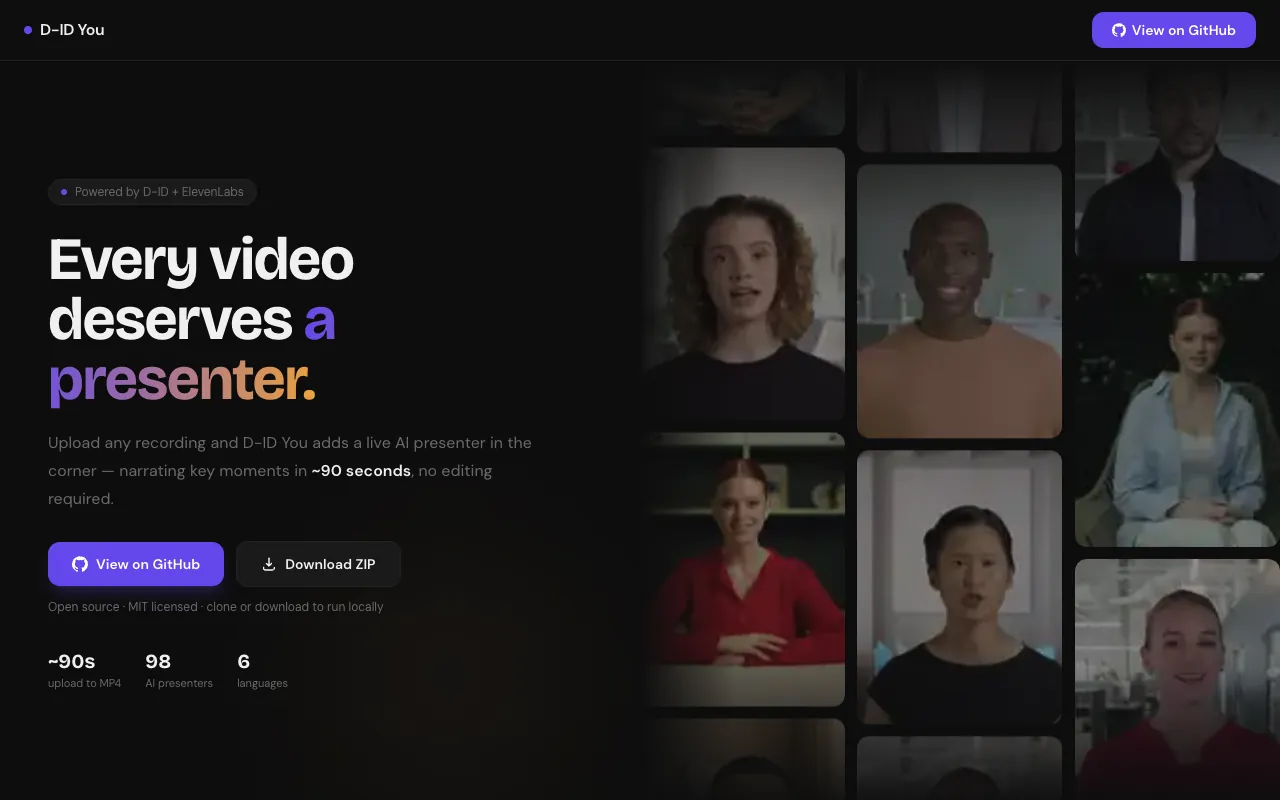
D-ID You is a Next.js web app that turns any uploaded video into a narrated presentation by compositing a circular talking AI presenter into the MP4, built by Anirudh Vasudevan for ElevenHacks Hack #11, D-ID track. You upload a screen recording or paste a YouTube link. About ninety seconds later (the README's number for a 30 MB file) you download a video where a presenter in the corner explains what you are watching, in the voice, style and language you picked.
The D-ID track asked for an AI agent where the visual experience is essential. My first build, a private project called ElseWhere, was a live D-ID avatar you could talk to inside a Mars colony scene. Its README lists the deadline as June 4, 2026 at 17:00, with no timezone given. ElseWhere's commits start on May 31. The D-ID You repo's first commit is June 2, and for about a day both repos were getting commits before I put my time into D-ID You. D-ID You also started as a live avatar. Only later did it become a file you could download.
Why a rendered file instead of a live avatar
The obvious approach was a live avatar: open a WebRTC session, push text, watch it speak. ElseWhere did that through the D-ID client SDK, and this repo's own first design did it too, against D-ID's /talks/streams endpoints. Those routes are still under app/api/avatar/ as dead code. A stream leaves you with no file.
The second option was D-ID Clips V3 Pro, which renders a presenter for the whole video. The README puts it at 15 to 30 minutes for a three minute video.
The third option, the one I shipped, was the D-ID Talks API. Talks takes a still image and a script, voices it through an ElevenLabs voice, and returns a short talking-head MP4. The README says the render takes about 12 seconds as long as the clip is short. The code is less optimistic: a comment in the avatar route says Talks renders in about 1 to 2 minutes, and the shell budgets 180 seconds for this stage and polls for up to 6 minutes. Either way it beats half an hour. So the README caps the script at 45 seconds, and in api/subtitle.ts, targetWordCount turns MAX_PRESENTER_SECONDS (45) into about 105 words at 140 words per minute. As I explain below, nothing calls it.
The model module is still named api/openai.ts because the first version called OpenAI directly. A June 2 commit moved the pipeline to DeepInfra, so it was already wired in by then. I pointed it at deepseek-ai/DeepSeek-V3 through its OpenAI-compatible endpoint, which has the JSON mode the summary step needs.
What a user actually does
D-ID You opens on a four-step wizard. You upload an mp4, mov or webm up to 500 MB, or paste a YouTube URL. You pick from a grid of 16 D-ID stock presenters, then a voice (16 ElevenLabs voices filtered by the presenter's gender), a narration style, one of six languages, and audio, music and caption options. The last step is a review screen with a presenter position picker and Start Processing.
The pipeline transcribes, writes an editable script and creates the presenter. Then compositing starts, with a progress bar fed by ffmpeg. You end with one MP4, a share link, and a button that cuts a 30 to 60 second highlight DeepSeek picks from the transcript.
Architecture
D-ID You is one Next.js 15 app with an unusual split: the UI runs on the Pages Router (pages/app.tsx mounts components/avatarlens-shell.tsx) while every API route lives in the App Router. The browser drives the pipeline, and each job lives on disk under .avatarlens/videos/<uuid>/.
Reading left to right: the wizard uploads a file to /api/videos (a YouTube link goes to /api/videos/from-url instead), which writes the file and a manifest.json. The shell then POSTs to transcribe, knowledge and avatar in order: Scribe v2 for the transcript, DeepSeek V3 for the summary and script, ElevenLabs TTS for character timings, and a D-ID Talk submission. The browser polls /api/videos/<id>/presenter every five seconds until the clip is ready.
The final step is composite. It optionally generates a music bed with ElevenLabs Sound Generation, downloads the D-ID clip, and spawns ffmpeg-static with one filter_complex for mask, overlay, captions and audio mix in one pass. Progress goes from ffmpeg's stderr into an in-memory map and out to the browser over Server-Sent Events.
Each layer and why:
| Layer | Choice | Why |
|---|---|---|
| UI framework | Pages Router UI, App Router API | RSC crashed with lucide-react |
| Transcription | ElevenLabs Scribe v2, word timestamps | Lines split on pauses and sentences |
| Script and summary | DeepSeek V3 via DeepInfra | JSON mode, already wired in |
| Subtitle timing | ElevenLabs /with-timestamps TTS | Timings from a matching TTS render; 140 wpm fallback |
| Presenter render | D-ID Talks API | Short clips render in seconds to minutes, not 15 to 30 minutes |
| Compositing | ffmpeg-static child process | One filter graph, one pass |
| Live progress | -progress pipe:2 into a Map, served as SSE | Real encoder percentages |
| Storage | Local disk under AVATARLENS_DATA_DIR | Simplest option; weak on serverless |
| Networking | lib/fetch-safe.ts over node:https | A TLS-safe wrapper with timeouts, first written for machines where antivirus SSL inspection broke connections |
How it works
Turning Scribe word timestamps into transcript lines
Scribe v2 returns a flat array of timed words. In api/openai.ts, transcribeWithScribe posts the whole video over a raw https.request and hands the words to groupWordsIntoLines. A line ends on a pause over 1.5 seconds, on sentence punctuation, or at 15 words, and keeps its first start and last end, so DeepSeek can pick a timestamped highlight later.
The script cap that never got wired in
The avatar route runs getVideoDuration on the original file (it spawns ffmpeg -i and parses the Duration: line), then calls generatePresenterScript with the transcript, summary, duration, style and language.
Here is the part I got wrong. The route imports targetWordCount from api/subtitle.ts and never calls it. Inside generatePresenterScript in api/openai.ts, the word budget is Math.max(80, Math.round(durationMins * 140)), from the full video length. A three minute video is asked for about 420 words, not 105. The cap lives in a helper, not in the request, while the comment next to -t in api/composite.ts still expects the presenter clip to end around 45 seconds. On a long upload I would expect a slower render and a presenter talking over much more of the video than planned.
Before submitting the Talk, the route calls generateSrtFromElevenLabs for captions. It hits ElevenLabs /with-timestamps, rebuilds words from the character timings in api/subtitle.ts, and chunks them seven at a time into SRT blocks. If that fails, generateSrt estimates 140 words per minute.
Submitting the Talk and polling it
createTalk in api/did.ts posts to D-ID /talks with the presenter image as source_url and an ElevenLabs voice provider. The returned ID gets a talk_ prefix that routes the polling:
// api/did.ts
  const payload = await didJson("/talks", {
    method: "POST",
    body: JSON.stringify({
      source_url: sourceUrl,
      script: { type: "text", input: script, provider },
      config: { result_format: "mp4", fluent: true, pad_audio: 0 },
    }),
  }) as { id?: string };
  if (!payload?.id) throw new Error("D-ID did not return a talk id");
  return `talk_${payload.id}`;  // prefix so presenter route knows which API to poll
The presenter route reads presenterClipId from the manifest and checks its prefix. talk_ means poll /talks/{id}; anything else means /clips/{id}. A segments: prefix covers an experimental four-clip mode the wizard never turns on (segmentMode: false is hard-coded).
The ffmpeg filter graph
compositePresenter in api/composite.ts downloads the D-ID MP4 to a temp directory, reads the SRT if captions are on, and calls runFfmpeg. The video half of the graph:
// api/composite.ts
    const filterParts = [
      "[0:v]scale=1280:720[main]",
      `[1:v]scale=${scale}[sq]`,
      `[sq]format=rgba,geq=r='r(X,Y)':g='g(X,Y)':b='b(X,Y)':a='255*lt(pow(X-${r},2)+pow(Y-${r},2),pow(${r},2))'[pip]`,
      `[main][pip]overlay=${x}:${y}:eof_action=pass:format=auto${overlayLabel}`,
      ...(captionFilter ? [`${overlayLabel}${captionFilter}[v]`] : []),
      audioFilter,
    ];
    const filterComplex = filterParts.join(";");
The circle is the geq line. A browser preview can use CSS, but a file needs real alpha. The presenter stream is scaled to a square (240 px by default) and converted to RGBA, and geq sets each pixel's alpha to 255 inside the circle of radius r and 0 outside. format=auto on the overlay respects that alpha, and eof_action=pass keeps the main video going after the presenter ends.
The audio half is where the README's gap bug lives:
// api/composite.ts
function buildAudioFilter(audioMode: AudioMode, hasPresenter = true): string {
  if (audioMode === "original_only") return "[0:a]aresample=44100[a]";
  if (audioMode === "blend" && hasPresenter)
    // Resample both to 44100 + reset D-ID PTS offset before mixing
    return "[0:a]aresample=44100[a0];[1:a]aresample=44100,asetpts=PTS-STARTPTS[a1];[a0][a1]amix=inputs=2:duration=shortest:weights=0.3 0.7[a]";
  // presenter_only: reset PTS to 0 + resample + pad with silence so -t works without audio gap
  return "[1:a]aresample=44100,asetpts=PTS-STARTPTS,apad[a]";
}
D-ID's Talks MP4s do not start their audio at timestamp zero. The README describes what composites sounded like without the fix: gap, audio, gap, about every half second. asetpts=PTS-STARTPTS resets the presenter audio to zero, aresample=44100 matches the rates before amix, and in presenter-only mode apad extends the presenter track with silence. Instead of -shortest, the args pass -t <original duration> so the output is always full length.
Captions use drawtext. The comment on buildCaptionFilterWithFiles lists the escaping problems it avoids: apostrophes, colons, percent signs. The fix keeps text out of the filter. Each line goes to its own ASCII cap_<i>_<ts>.txt file, referenced by a relative textfile= name, with ffmpeg's cwd set to the temp directory.
Streaming progress out of a child process
ffmpeg runs with -progress pipe:2, which prints out_time= lines on stderr. runFfmpeg parses Duration: once, turns each out_time= into a percentage, and stores it in progressStore, a module-level Map keyed by video ID, capped at 98 until progress=end. The composite-progress route wraps that map in a ReadableStream that emits a data: event every 1.5 seconds.
The hard parts
The Next.js split was a workaround I kept. The README records a webpack crash traced to lucide-react under React Server Components, so the UI moved to the Pages Router. next.config.mjs also turns off the default split-chunk group and the runtime chunk on the client, probably the same fight. It works, but it is not a design.
The rename left a mess. The code was called AvatarLens, and components/avatarlens-shell.tsx and the AVATARLENS_ env vars still show it. The docs/ folder describes an earlier RAG chat design; api/rag.ts, components/chat-panel.tsx and the stream routes are dead code.
TLS verification is the shortcut I most want to fix. lib/fetch-safe.ts, instrumentation.ts and next.config.mjs only skip certificate checks when AVATARLENS_INSECURE_TLS=1 is set. But three raw https.request calls (transcribeWithScribe in api/openai.ts, uploadPresenterImage in api/did.ts, and the voice-preview route) hard-code rejectUnauthorized: false. The voice-preview comment says it is there to bypass Windows antivirus SSL inspection, the same dev-machine problem the flag-gated files describe. That workaround should sit behind the same opt-in flag, a one-line fix each.
Captions may also drift, though I never measured it. The SRT timings come from a separate ElevenLabs synthesis in api/subtitle.ts, not from the audio D-ID renders through its own ElevenLabs provider, so the burned-in text can run slightly ahead of or behind the presenter's mouth.
The progress store and disk storage are process-local. On Vercel, where the demo runs, each route can land on a different instance, so the SSE endpoint may never see the composite route's map, and .avatarlens is not durable. The README also notes YouTube import fails there because yt-dlp is not on the serverless image.
The audio fix is only half done. Blend mode still mixes with amix=inputs=2:duration=shortest and no apad, so the mixed audio stops when the presenter clip ends (the -t comment expects that around 45 seconds). -t keeps the video full length, but the original sound goes silent too.
The stage progress bars before compositing are fake: a setInterval ticks toward each stage's estSec. Only the compositing bar is real.
What shipped
D-ID You was built for ElevenHacks Hack #11 on the D-ID track and pushed on June 4, 2026. No placement or award is recorded. The app is live at d-id-you.vercel.app, the source is public (MIT), and the README shows a before and after: a German YouTube video converted to English with an AI presenter over it. The README's timing table for a 30 MB upload puts the run at about 90 seconds: roughly 22 for Scribe, 20 for the script, 15 for D-ID and 30 for ffmpeg.
What I would do differently
Wire targetWordCount into generatePresenterScript, so the script budget is the 45 seconds the README promises.
Move job state and the progress map somewhere shared. A Redis entry per video ID would let the SSE and composite routes run on different instances, and object storage would replace .avatarlens.
Run the stages on the server. Today a closed tab abandons the job halfway; a queue worker could run it while the browser subscribes. Then delete the dead code and try a PNG mask, since geq runs an expression per pixel per frame.
Key takeaways
- When a media API has a fast mode with a length limit, cap your content to fit it, and check the cap is in the request, not only in a helper.
- ffmpeg's
geqfilter can punch alpha into a stream with one expression: testpow(X-r,2)+pow(Y-r,2) < pow(r,2)per pixel, write 255 or 0 to alpha, then overlay withformat=auto. - If a downloaded clip's audio stutters when mixed, check its PTS offset before blaming the codec.
asetpts=PTS-STARTPTSis the fix the README records for D-ID's half-second gaps. - Use
-t <duration>rather than-shortestwhen one input is meant to be shorter, andapadthe shorter track (or useamixwithduration=longestorfirst) so a mix does not end early. - Never put user text inside an ffmpeg
drawtextstring. Write each line to a file, passtextfile=, and set ffmpeg'scwdto that directory.
FAQ
How does D-ID You add a presenter to a video?
D-ID You transcribes the video with ElevenLabs Scribe v2, asks DeepSeek V3 for a narration script, voices it through an ElevenLabs voice inside the D-ID Talks API, and uses ffmpeg to composite the talking-head clip as a circular overlay on the original. The output is one full-length MP4 with the presenter in the corner.
Why is the D-ID You presenter script meant to be short?
D-ID You uses the D-ID Talks API, which is fast only for short clips, so the README caps the script at 45 seconds, about 105 words. In the shipped code that cap is a helper that is imported but never called, so the script is sized to the full video instead.
How does D-ID You make the presenter circular in the MP4?
D-ID You scales the presenter clip to a square, converts it to RGBA, and runs ffmpeg's geq filter with an alpha expression that returns 255 inside a circle of radius r and 0 outside. The masked stream goes onto the main video with overlay and format=auto, so the corners show the video underneath.
Links
- Live demo: d-id-you.vercel.app
- Source: github.com/anirxdh/D-ID-You