The agent could act, but it could not ask
By the third weekend, ScreenSense could already do a lot. Version one answered a spoken question about whatever was on screen. Version two turned that into an agent loop: screenshot, ask the model for one action, run it, look again.
What it could not do was talk back. If I said "fill out this form" and the form wanted an email I never gave, v2 had no way to say "I need your email" and listen for the answer.
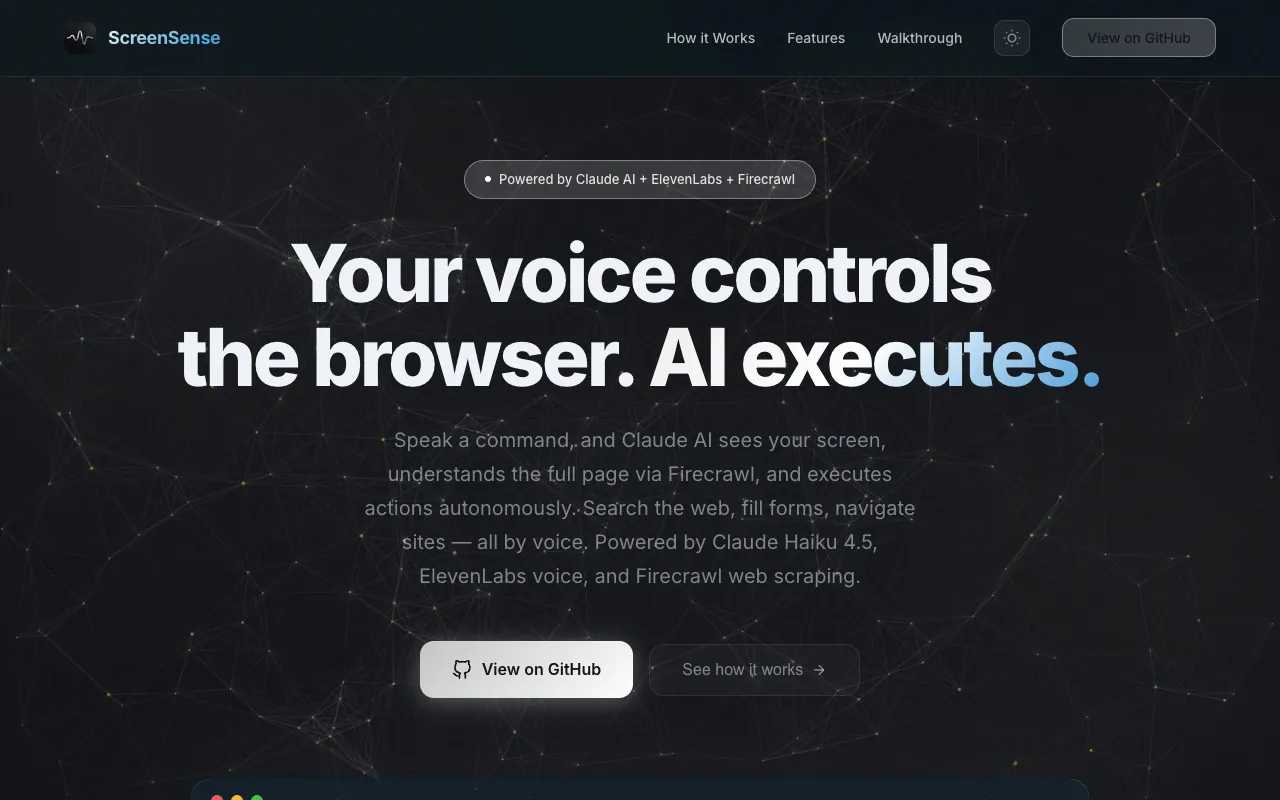
ScreenSense v3 is a voice-controlled Chrome extension and FastAPI backend that turns spoken commands into multi-step browser actions and can hold a back-and-forth conversation while it works, built by Anirudh Vasudevan for the ElevenLabs x Firecrawl Hackathon. It won Best Voice Agent. This article covers what v3 added: Firecrawl as a content layer, and a conversation manager that lets the agent ask a question and reopen the mic for the reply.
Why I did not start over
The spec I wrote on March 21, 2026 (still in the repo under docs/superpowers/specs) is headed "Approach 1: Firecrawl as Content Layer". The other approaches never made it into the doc, so here is what I remember weighing.
The obvious option was a hosted conversational agent product with browser actions exposed as tools. Faster to demo, but the hard part was never the voice. It was grounding the model in real selectors and re-observing the page after every click, which v2 already did. The other option, bolting ElevenLabs speech onto the v2 loop, gives a nicer voice on a one-shot command, not a conversation.
What I picked: keep the observe-act-observe loop, add Firecrawl so the model reads the whole page, and put a small state machine in the service worker for listening, executing, speaking, and waiting on a reply. The spec's rule: Firecrawl reads pages, the DOM scraper acts on pages, ElevenLabs handles all voice.
The sponsor APIs were Firecrawl and ElevenLabs, so both had to do real work. The repo was created March 22 and last pushed March 23, so I had about two days. Demo latency is why transcription goes straight from the extension to the STT provider, skipping the backend.
What a session looks like
From the user's side, ScreenSense v3 works like this:
- Hold the backtick key. A frosted-glass bubble appears with a live waveform while an offscreen document records the mic.
- Say "add the cheapest USB-C cable to my cart" and release. Recording also stops after about 1.5 seconds of silence.
- The service worker captures a screenshot, scrapes the DOM into selectors, and asks the backend to pull the page through Firecrawl.
- The agent does one action at a time, and ElevenLabs speaks a short phrase for each: "Opening Amazon", "Adding to cart".
- If the agent needs something, it asks out loud. When the question finishes playing, the mic reopens for 10 seconds and the loop continues with your reply.
- When the model returns type done, ScreenSense speaks the summary. Holding the key again continues the same conversation; the per-tab history only resets when the model labels your utterance a new task or the tab closes.
Architecture
ScreenSense v3 has three tiers. Content scripts run inside every page and own the DOM: scraping, executing actions, drawing the bubble, playing audio. The Manifest V3 service worker orchestrates the offscreen mic document, the transcription chain, the conversation state, and the agent loop. A FastAPI backend on localhost:8000 holds the AWS and Firecrawl keys and makes the model call.
Audio never touches the backend. The offscreen document sends base64 audio to the service worker, and src/background/transcription-service.ts tries Groq Whisper, ElevenLabs Scribe, then Deepgram until one returns text. In parallel, the worker asks the content script for a DOM snapshot and the backend's POST /firecrawl/scrape for the page as markdown. All three run under one Promise.all in runPipeline; the DOM and Firecrawl results may fail without killing the request.
POST /task takes the transcript, screenshot, DOM snapshot, Firecrawl markdown, and a text-only conversation history, makes one Bedrock converse call, and returns a single JSON object. The worker classifies it and either executes an action, speaks a phrase, or parks the conversation in AwaitingReply. Text-to-speech goes the other way: the content script asks the worker to fetch ElevenLabs audio (page CSP blocks the fetch) and plays the base64 MP3 it gets back.
The choices, layer by layer:
| Layer | Choice | Why |
|---|---|---|
| Mic capture | MV3 offscreen document with MediaRecorder | Mic permission is granted once on the extension origin and survives navigation |
| Speech to text | Groq Whisper, then ElevenLabs Scribe, then Deepgram, from the service worker | No backend hop; a failed provider falls through |
| Page content | Firecrawl v1 scrape, markdown, main content only, 5 minute cache | The model sees the whole page within the token budget |
| Reasoning | AWS Bedrock converse API, model set by SCREENSENSE_MODEL | One env var switches between four models |
| Conversation state | One ConversationManager in the service worker, turn history keyed by tab | Only the worker sees both the mic and the agent loop |
| Text to speech | ElevenLabs eleven_flash_v2_5 via the worker, Web Speech fallback | Site CSP blocks content-script fetches |
How it works
Firecrawl as the content layer
v2 gave the model a screenshot and a few thousand characters of DOM text. Fine for "click the blue button", useless for "is there a returns policy on this page" when the policy is three screens down. Firecrawl returns the page as clean markdown with the nav and footer stripped.
backend/services/firecrawl_service.py wraps the synchronous Firecrawl v1 client in asyncio.to_thread so the event loop never blocks, and every URL passes an SSRF check that rejects localhost and private, loopback, or link-local addresses.
# backend/services/firecrawl_service.py
        self._validate_url(url)
        cached = self._get_cached(url)
        if cached is not None:
            return cached
        result = await asyncio.to_thread(
            self.client.scrape_url,
            url,
            formats=["markdown"],
            only_main_content=True,
        )
The cache is a dict keyed by URL with a 300 second TTL. On the reasoning side, backend/services/nova_reasoning.py caps the markdown at 15,000 characters and, when markdown is present, swaps the DOM snapshot's text_content for a pointer to it. Markdown is what the page says. The DOM snapshot is what you can click.
The conversation state machine
src/background/conversation-manager.ts is 102 lines. It holds one state (Idle, Listening, Processing, Speaking, AwaitingReply, Executing), a Map from tab id to conversation turns, and a 30 second idle timer that resets on every transition into a non-Idle state. Turns are capped at 20 per tab.
During a conversation, the prompt asks the model to label the utterance as new_task, reply, follow_up, correction, or interruption, and routeByIntent turns that into one of three outcomes:
// src/background/conversation-manager.ts
  switch (intent) {
    case 'new_task':
      cm.clearSession(tabId);
      cm.startSession(tabId);
      return 'new_session';
    case 'interruption':
      cm.transition(ConversationState.Idle);
      return 'cancel';
    default:
      return 'continue';
After routing, classifyResponse in src/background/agent-executor.ts looks at the shape of the response: needs_clarification wins, then options, then a suggestion with requires_confirmation, then a bare speak, then done, else action. The first three end the same way: the text goes to the content script for TTS, and the state moves to AwaitingReply.
Closing the loop: the mic reopens itself
When the audio finishes in src/content/tts.ts, the ended listener sends tts-playback-finished to the service worker. If the conversation is in AwaitingReply, the handler waits 500 ms, tells the bubble to show listening, and sends start-recording to the offscreen document. A second timer stops recording after 10 silent seconds.
The reply enters the normal pipeline with the history attached, so the model sees its own question and the answer together, and the next action types into the right input using the exact selector from the DOM snapshot.
If you hold the key while the agent is talking, the shortcut-hold handler is supposed to stop playback:
// src/background/service-worker.ts
  if (conversation.getState() === ConversationState.Speaking) {
    const interruptTabId = sender.tab?.id ?? recordingTabId;
    if (interruptTabId) {
      sendToTab(interruptTabId, { action: 'interrupt-tts' });
    }
    conversation.transition(ConversationState.Listening);
  }
I say "supposed to" because nothing in the service worker ever transitions the state to Speaking, so the branch is dead even though the content script's interrupt-tts handler works. Holding the key during speech starts a new recording while the speech keeps playing over you. That bug shipped.
Keeping the model call inside a budget
Every iteration sends a fresh screenshot and DOM snapshot, plus the first scrape's Firecrawl markdown, the conversation history, and the action history, and nova_reasoning.py trims each before the converse call. Screenshots are downscaled with Pillow to 1024 px wide and re-encoded as JPEG at quality 80. The DOM JSON is held under 30,000 characters by shortening text, trimming tables, lists, and headings to three entries, then capping buttons, links, inputs, and products at 15. Once the action history passes five entries, everything but the last three collapses into one line:
# backend/services/nova_reasoning.py
    if len(action_history) > 5:
        older = action_history[:-3]
        recent = action_history[-3:]
        older_summary = f"Previously completed {len(older)} actions: " + ", ".join(
            entry.get('description', 'Unknown')[:40] for entry in older
        )
Failed actions stay in that history as "FAILED: ... Try a different selector or approach." so the model picks a new target next turn. A four-strategy extractor parses the reply (direct json.loads, fenced block, first balanced object, first balanced array) because small models like to wrap JSON in prose.
The hard parts
The spec and the code disagree in several places.
The STT order flipped. The spec says ElevenLabs first, Groq as fallback. The code tries Groq Whisper (whisper-large-v3-turbo) first, then ElevenLabs Scribe, then Deepgram. The comment says "most reliable, free tier". Honest, but the sponsor's STT ended up as the fallback in a hackathon the sponsor ran.
The reasoning model is ambiguous. The README says Claude Haiku 4.5. The code default in SUPPORTED_MODELS is nova-lite. Which one runs depends on SCREENSENSE_MODEL in backend/.env, and I will not claim from memory which value the recorded demo used.
Dead code from v2 survived. The spec says delete backend/services/nova_sonic.py (AWS Transcribe streaming) and backend/routers/transcribe.py. Both are still wired into main.py and unused by the extension. At the 20-turn cap the spec planned a model call to summarize old turns; the shipped code just drops them.
Conversation history is stored twice: service-worker.ts keeps a conversations Map from before the refactor and also writes every turn into the ConversationManager. The manager's 30 second idle timer fires an onIdle callback that the service worker never registers, so the timer resets the state and nothing else. runPipeline and runFollowUp are near-duplicates, about 235 and 170 lines; the real differences are whether the input needs transcribing and that the follow-up path scrapes DOM and Firecrawl sequentially, not in parallel.
Results
ScreenSense v3 won Best Voice Agent at the ElevenLabs x Firecrawl Hackathon.
The README claims 414 tests. Counting it() and test() blocks gives 246 Jest cases across eight frontend files and 188 pytest functions across eight backend files, with AWS and Firecrawl mocked.
What I would change
Make Speaking a real state. The content script already reports when playback ends; it should report when playback starts too, and the worker should transition on both. That one fix makes the interrupt branch live.
Delete what the spec said to delete, and collapse runPipeline and runFollowUp into one function that takes either audio or text. They diverged because I did not want to break the working path the night before the demo.
Use Firecrawl for more than the current page. The TaskResponse type has a research field that nothing reads, and Firecrawl's crawl and extract endpoints are implemented and tested but off the live path. They were meant to let the agent compare prices across sites the user is not looking at, which would make Firecrawl essential instead of helpful.
Key takeaways
- Drive the mic re-open from the audio playback end event, not a timer. Speech length varies too much.
- Split "what the page says" from "what you can click" into separate inputs. Markdown for reading, selectors with viewport flags for acting. Tell the model which is which.
- Put the conversation state machine wherever both the mic and the executor are reachable. In a Manifest V3 extension that is the service worker.
- When the model can return several response shapes, classify by field presence in a fixed priority order, not by the type string.
FAQ
How does ScreenSense hold a conversation with the user?
ScreenSense keeps one ConversationManager in the extension's service worker. It holds a single state (Idle, Listening, Processing, Speaking, AwaitingReply, or Executing) and a map of turn history keyed by tab id. When the model responds with needs_clarification, options, or a suggestion that requires confirmation, the text is spoken through ElevenLabs and the state moves to AwaitingReply. When the audio finishes, the content script sends tts-playback-finished and the worker reopens the microphone for up to 10 seconds and sends the reply to the backend with the text-only history.
What does Firecrawl do in ScreenSense?
ScreenSense uses Firecrawl to read the whole page, not just the viewport. The backend's POST /firecrawl/scrape requests markdown with only_main_content set to true, caches the result per URL for five minutes, and rejects private or loopback URLs up front. The markdown, capped at 15,000 characters, goes to the reasoning model alongside the DOM snapshot and screenshot. The DOM snapshot supplies selectors to act on; Firecrawl supplies content to understand.
How does ScreenSense keep voice latency low?
ScreenSense transcribes audio directly from the service worker to the STT provider, skipping the backend. Transcription, DOM scraping, and the Firecrawl scrape start together under one Promise.all, so the slowest of the three sets the wait. Screenshots are downscaled to 1024 px JPEG before the model call, and each step's spoken phrase arrives with the action, so no extra call is needed for speech text.
Links
- Live landing page and demo videos: https://screen-sense-anirudh.netlify.app/
- Source: https://github.com/anirxdh/elevenlab_firecrawl
- Part 1: ScreenSense v1, talk to your screen
- Part 2: ScreenSense v2, the Amazon Nova agent loop