The moment the answer was not enough
ScreenSense v2 is a voice-driven browser agent built by Anirudh Vasudevan for the Amazon Nova AI Hackathon 2026. It is a Chrome Manifest V3 extension with a Python FastAPI backend that takes a spoken command and carries it out on the live page through an observe-act-observe loop on Amazon Nova Lite.
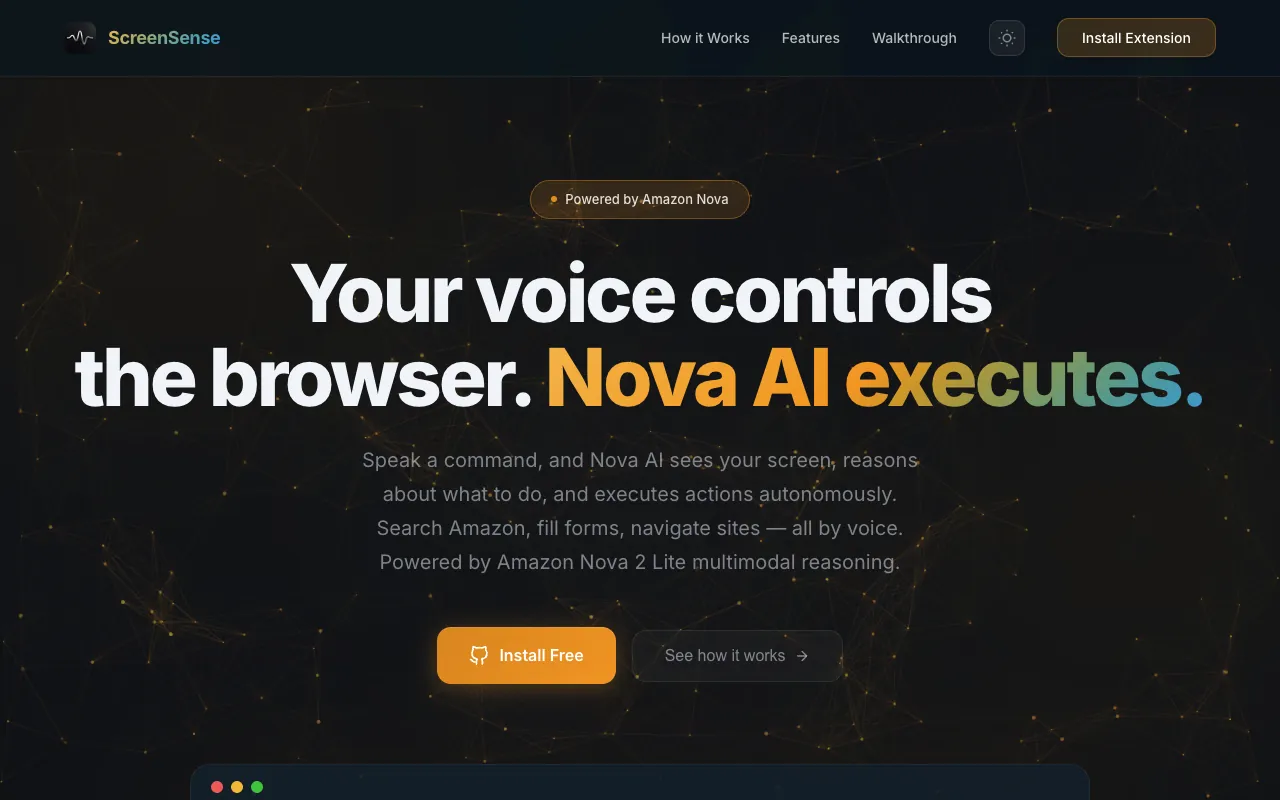
Version one of ScreenSense could describe a screen but not touch it. It could answer "what is the price?" but not "add it to the cart," because no code path could click anything. About a week after that first build, and two days after I re-entered it at Global Engineering Hack 2026, I started a new repo for the Amazon Nova AI Hackathon 2026 to fix that. The new repo kept the three Global Engineering Hack commits from March 12 as its starting point. In v2 you hold the backtick key, say "go to Wikipedia and search for artificial intelligence," release, and a bubble near your cursor narrates each step as the page changes.
The last commit landed on March 16, 2026. The repo is private, so I describe the code rather than link it.
Why one action at a time
ScreenSense v2 did not start with one action at a time. I built the batch version first. An executeSteps helper took the full plan from POST /task and ran every step in order. That is why POST /task still returns a list of steps today. The problem: the page after step one is never the page the model planned against. A search submit reloads the document. A click can open a panel or swap a section of the page (an "Add to Cart" button on a shopping site is the kind of thing I mean). Either way, the selectors for step three may no longer exist.
On March 15, 2026 I replaced executeSteps with runAgentLoop, and later that day a commit titled "fix: execute ONE action at a time, always re-fetch DOM after each" made the rule strict. The loop still receives a batch but only runs the first item.
I also kept the model away from pixel coordinates. The task and continue prompts in nova_reasoning.py say "You MUST use the EXACT CSS selectors from the DOM snapshot." So the content script scrapes the DOM into a JSON snapshot with a real CSS selector for every interactive element, and Nova gets that snapshot plus a compressed screenshot.
What the user sees
- Hold the backtick key on any page. After 200 ms a bubble appears at your cursor with a live waveform.
- Speak, then release. The bubble shows "Transcribing," then "Understanding," then your transcript.
- Nova returns an answer (for "what is the price?") or an action. For an action, a green outline flashes on the target, a short phrase is spoken, and the bubble logs "Re-evaluating... (3/25)" before the next step.
- When Nova says done, the bubble lists every step and says "All done." Escape, or holding the key again, cancels the loop.
Architecture
ScreenSense v2 runs as four contexts that only talk through messages: the content script, the service worker, the offscreen document, and the FastAPI backend. The content script owns the DOM, the service worker owns the loop, the offscreen document records audio, and the backend owns the AWS credentials and the model calls. The exception is ElevenLabs, which the service worker calls only if a key is already stored.
On release, runPipeline captures the tab with chrome.tabs.captureVisibleTab, gets a transcript, scrapes the DOM, and calls POST /task. The returned action ends in action-executor.ts. A separate SSE channel (GET /events) pushes backend stage changes to the bubble.
The concrete choices, and why:
| Layer | Choice | Why |
|---|---|---|
| Reasoning model | Amazon Nova Lite, us.amazon.nova-lite-v1:0, Bedrock converse, maxTokens 2048 | Hackathon sponsor model with image input |
| Perception | Screenshot plus DOM snapshot with CSS selectors | Exact selectors remove guessing for a small model |
| Loop control | One action per iteration, max 25 | Fresh observation every step; hard cap stops runaways |
| DOM settling | MutationObserver quiet window, then poll for real content | AJAX pages return empty snapshots if scraped too early |
| Speech to text | AWS Transcribe Streaming, Groq whisper-large-v3-turbo fallback | Stay on AWS; Groq Whisper fallback if Transcribe fails |
| Audio capture | MV3 offscreen document, MediaRecorder plus AnalyserNode | A service worker cannot call getUserMedia; offscreen.ts can |
| Backend | FastAPI, boto3 wrapped in asyncio.to_thread | boto3 is synchronous; the thread pool keeps the event loop free for SSE and WebSockets |
| Voice out | Web Speech in practice; ElevenLabs eleven_flash_v2_5 via service worker only if a key is already stored | Page CSP blocks direct calls from a content script; the key UI was removed |
How the loop actually works
The loop in the service worker
runAgentLoop in src/background/service-worker.ts is where the ScreenSense v2 loop lives. It executes currentActions[0], records the result in actionHistory, waits for the page, re-captures, and calls POST /task/continue. Whatever Nova returns replaces currentActions. The loop exits on done, cancellation, a closed tab, or MAX_AGENT_ITERATIONS = 25.
Failures go back to the model as text. When a selector matches nothing, the service worker does not retry. It writes the failure into history and lets the next /task/continue call see it.
// src/background/service-worker.ts
actionHistory.push({
  description: step.description,
  result: `FAILED: ${result.error}. Try a different selector or approach.`,
});
The continue prompt in backend/services/nova_reasoning.py tells Nova that a FAILED: line means try a different selector, and that after three identical attempts it should skip that item.
Waiting for the page to settle
Scraping too early gives Nova a half-built page. The content script answers a wait-for-dom-stable message with a MutationObserver that resets a timer on every mutation and resolves once the page has been quiet for settleMs.
// src/content/content-script.ts
const observer = new MutationObserver(() => {
  clearTimeout(timer);
  timer = setTimeout(() => {
    settled = true;
    observer.disconnect();
    resolve({ stable: true });
  }, settleMs);
});
A hard timeout (1500 to 2000 ms) stops an animated page from blocking forever. Quiet is not loaded, though. After settling, waitForDomContent in the service worker polls scrape-dom every 500 ms for up to 5 seconds (8 after a navigate) and only accepts a snapshot with at least one button, one input, or more than five links.
Surviving navigation
A click that reloads the document kills the content script, and chrome.tabs.sendMessage throws. ScreenSense v2 treats that exception as a signal: it sleeps 2 seconds and sends one scrape-dom ping. If a fresh content script answers, it records "Page navigated (action triggered navigation)" in history and carries on. Explicit navigate actions get up to ten pings a second apart before the worker gives up.
Keeping each Nova call small
Two functions in nova_reasoning.py shrink each call's input. _compress_screenshot uses Pillow to downscale the PNG to at most 1024 pixels wide as JPEG at quality 70. _truncate_dom serializes the snapshot and, once it passes 30,000 characters (DOM_SNAPSHOT_MAX_CHARS, commented as a guard to stay under token limits), cuts text_content to 2,000 characters, then trims tables, lists, images and headings to three entries each, one field at a time, while it is still too long. Last, it caps buttons, links, inputs and products at 15 each, whether or not the snapshot already fits. On a big page that can hide the element Nova needs.
History gets the same treatment. Past five actions, older ones collapse into one summary line and only the last three stay verbatim.
# backend/services/nova_reasoning.py
if len(action_history) > 5:
    older = action_history[:-3]
    recent = action_history[-3:]
    older_summary = f"Previously completed {len(older)} actions: " + ", ".join(
        entry.get('description', 'Unknown')[:40] for entry in older
    )
On the extension side, buildSelector in src/content/dom-scraper.ts walks an attribute ladder (id, data-testid, data-asin, aria-label, title, href, name, then tag plus classes with nth-of-type), all through CSS.escape. classifyElement tags roles such as add-to-cart so the model can pick by meaning.
Executing without trusting the model
Every action Nova returns comes from a model that just read an untrusted page. executeAction in src/content/action-executor.ts treats it that way.
// src/content/action-executor.ts
const ALLOWED_ACTIONS = new Set(['click', 'type', 'navigate', 'extract', 'scroll']);
// ...
const DANGEROUS_SELECTOR_PATTERNS = [
  /javascript:/i,
  /<script/i,
  /on\w+=\s*['"]/i, // onclick=', onerror="
  /`/,
];
Anything outside the allowlist is rejected. Selectors are checked against those patterns, then test-run through document.querySelector so a syntax error becomes a clean failure the model can read. Navigation accepts only http and https, and a rate limiter enforces a 300 ms gap. Typing uses the native HTMLInputElement value setter plus input and change events so React inputs notice. On a search box the executor also submits the form, so "search for X" is one action.
The hard parts
About 13 of the 32 commits titled "fix:" in ScreenSense v2 are about the loop and the DOM: "agent loop stops too early", "invalid CSS selector crashed entire DOM scraper on Amazon", "wait for actual DOM content after navigation (AJAX-heavy pages)". The MV3 audio plumbing also had two races. chrome.offscreen.createDocument resolves before the offscreen document has registered its listener, so the first start-recording message could vanish; the fix is an offscreen-ready handshake with a 500 ms fallback. And on a quick tap, stop-recording could arrive before start-recording was sent, so the worker now chains the stop onto a stored recordingStartedPromise.
The WebSocket endpoint /transcribe/stream has a docstring about streaming audio during recording, but the shipped client opens the socket after key release and sends the whole blob in one message. It is a single upload, not streaming.
Other shortcuts I would not ship: the backend URL is hardcoded to localhost:8000, and CORS is allow_origins=["*"] with credentials on. The per-tab conversation history (20 turns) is stored but never sent to Nova, so follow-ups have no memory. The version one explanation-level setting survives, but the prompts ignore it.
One bug I wrote while fixing another survived into the final build. The commit fix: prevent agent loop stalling on "answer" type responses on March 16 stopped the loop from stalling when /task/continue returns type answer. It does that by setting currentActions = [] and continuing. So the next pass reads currentActions[0] as undefined, throws on step.action, and runPipeline shows its generic Something went wrong error. The fix for one stall introduced a crash.
Voice output is weaker than the code suggests. A commit on March 16, "fix: remove API key fields from Settings," left saveApiKeys with no caller. The function is only defined in src/shared/storage.ts, and the dev default for the ElevenLabs key is an empty string, so the shipped build speaks with Web Speech unless an ElevenLabs key is already in chrome.storage.
The reasoning call in the submitted code runs Nova Lite. backend/services/nova_reasoning.py has no model switch or fallback for reasoning; if Bedrock fails, the task fails. The history is messier. Early on March 16 I briefly switched reasoning to Groq and dropped Amazon Transcribe, then moved reasoning to Claude Sonnet, before reverting to Nova and Transcribe about an hour later. The answer-stall fix above was written while Claude was reasoning.
Results
ScreenSense v2 shipped as a working extension loaded unpacked from dist/, a FastAPI backend on localhost, a landing page on Netlify, and a YouTube demo. The commit log says the temporary Claude Sonnet switch was made for the demo recording, so the reasoning in the video may not be Nova Lite. The README lists the targeted categories: Agentic AI, Multimodal Understanding, UI Automation, and Voice AI. No award or placement is recorded in the repo, so I claim none.
The number I am proud of: 367 automated tests shipped with the hackathon build, 213 Jest cases and 154 pytest functions with Bedrock, Transcribe and Groq mocked. The counts come from the test files in the repo.
What I would do differently
ScreenSense v3 picked up some of these, including conversation history and a different speech-to-text path. If I rebuilt v2 today:
- Stream audio during the hold, not after release. The endpoint supports it; the client never used it.
- Send the DOM diff between iterations instead of the whole snapshot.
- Put the loop state machine in a testable module rather than one roughly 300-line function in the service worker.
- Replace the fixed sleeps around navigation with
chrome.webNavigation.onCompleted. - Send the stored per-tab conversation history to Nova, or delete the store.
Key takeaways
- A small multimodal model does far better when the decision is one step and the identifiers are exact strings it can copy: selectors, not coordinates.
- Feed action failures back as text in the next prompt. "FAILED: element not found, try a different selector" beats client-side retry logic.
- "DOM is quiet" and "DOM has content" are different conditions. Wait for both, with a hard timeout on each.
- In MV3, treat a thrown
chrome.tabs.sendMessageas a navigation signal and rebuild context, not as a fatal error. - Model output that names DOM elements is untrusted input. Allowlist verbs, sanitize selectors, restrict URL schemes, and rate-limit before touching the page.
- Budget every model call up front: downscale images, truncate structured context in a fixed order, and summarize older history.
FAQ
How does ScreenSense v2 decide what to click on a web page?
ScreenSense v2 never asks the model for coordinates. The content script scrapes the page into a JSON snapshot in which every button, link, input and form carries a CSS selector built from a priority ladder of stable attributes. Amazon Nova Lite gets that snapshot with a compressed screenshot and must return one action whose selector is copied from it.
Why does ScreenSense v2 execute only one action per model call?
ScreenSense v2 first ran the whole plan with executeSteps, and plans broke as soon as the page changed. Now it runs the first action Nova returns, re-captures, and calls POST /task/continue until Nova says done or 25 iterations pass.
How does ScreenSense v2 handle page navigation in a Chrome extension?
ScreenSense v2 treats a thrown chrome.tabs.sendMessage as a sign the page navigated. It waits, pings the new content script, records "Page navigated" in history, and polls until the snapshot has real buttons, inputs or links before asking Nova again.
Which Amazon Nova model does ScreenSense v2 use?
ScreenSense v2 calls Amazon Nova Lite (us.amazon.nova-lite-v1:0) through the Bedrock converse API. Screenshots are downscaled to at most 1024 pixels wide and re-encoded as JPEG at quality 70, and the DOM snapshot is trimmed in stages once it passes 30,000 characters.
Is the ScreenSense v2 source code public?
No. The ScreenSense v2 repository is private. The landing page and demo video are public.
Links
- Live landing page: screen-sense-nova-anirxdh.netlify.app
- Part 1: ScreenSense v1, talk to your screen
- Part 3: ScreenSense voice browser agent
- Source: private repository, not linked.